Showing posts with label teachers. Show all posts

Saturday, April 11, 2026

Earth Day: April 22, 2026

It's April which means Earth Day is on it's way! For some, it's a day to honor and celebrate the Earth. For others, it's a week. For others still it's a month-long celebration....while for others it's a daily mindset.

I always like to think about "darkening my shade of green" when it come to environmentalism and Earth Day, so here are some great resources to check out to make this Earth Day a memorable one!

🌏 EarthDay.org's official 2026 website is always a go-to source of information. This year's theme: Our Power, Our Planet. Here you can find an event, register your event, or find a wealth of resources at their Earth Hub. You'll find toolkits, ways to take action, online quizzes, news/stories, and fact sheets to take your Earth Day knowledge to the next level.

🌍 Population Education is always one of my favorite websites. I love the way climate, population, energy economy, global interests, and more all intersect to build integrated learning opportunities. Their Earth Day Lesson Plans & Resources are top notch for kids grades K to 12 and are divided along grade level bands.

🌎 Check out the Almanac online for some basic information on Earth Day. Plus, you'll find a short quiz to see just how dark your shade of green is to begin with! Additionally there's 10 suggestions of ways to make Earth Day your own in the way you honor it.

🌏 National Geographics Kids also has a wealth on Earth Day at their site, geared directly for elementary students on a wealth of topics.

Image created at canva.com

Saturday, February 7, 2026

Control Alt Achieve's Public NotebookLM with AI Policies, Guidelines and Frameworks

Eric Curts from Control Alt Achieve is one of my go-to edtech gurus. Not only is Control Alt Achieve an amazing resource for teachers, he was a dynamic speaker at FETC last year and one of my favorite follows. 

Eric had a recent post entitled Public NotebookLM with AI Policies, Guidelines, & Frameworks from January 20th, 2026. NotebookLM is an amazing tool for using AI to synthesize information. I learned about it last year at the 2025 FETC: The Future of Educational Technology Conference. It's known as a "thinking partner" where you are upload your own documents to use as your data set and you can interact directly with your own set of sources. You can learn more about NotebookLM here.

With his post, Eric included 40 resources (at this time of writing) in his AI Public NotebookLM. Additionaly, he has provided public access to that digital collection. Once inside this NotebookLM, you you can interview the resources through AI to answer specific AI-related edtech questions you may have based on your specific AI-centric goals or guidelines you'd like to create. He's included some of the Studio features of NotebookLM, including an informative podcast created to detail the givven information.

Be sure to click this link to get to his Public NotebookLM with AI Policies, Guidelines and Frameworks. Here you will get his details post that includes the link to get you to this robust resource. You can then ask your own questions and create your own tools to help create what you need for your own school or district. 

I know AI can still be so scary to people out there, but there are so many features about it that can really help you ramp up your productivity. Every teacher out there knows the saying "teach harder, not smarter." This is a classic example of using the tools that are there to help you level up and do just that, maximizing your time in the smartest way possible. Eric's post and public NotebookLM are great for doing just that!

Image from https://www.controlaltachieve.com/2026/01/notebooklm-ai-guidance.html

Saturday, January 31, 2026

Google Takeout for Graduating Seniors & Moving Teachers

Moving schools (either as a graduating student or a teacher moving on to another school) comes with a lot. Especially if you are a Google School and you have created a lot of digital files.

I've fallen victim to this: realizing too late that my email/Google Drive was ending sooner than I thought and lost files. This happened to me when Eagle Cove closed down. Realizing a little too late that part of the packing includes those digital files and creations I made along the way! 

For that reason, I got pretty excited when I saw Chromebook Classroom's Facebook post about "Google Takeout" for graduating seniors (and leaving teachers) being able to transfer school documents to a personal account.

This video from John Sowash walks you through how to do it. (Note: As he details in the video, it can take a week or so to process the transfer....so definitely pay attention to timing!)


Video from https://youtu.be/LVF-qyRoKeQ?si=WgpFn1uSRayp3eEK and image created at Canva.com

Saturday, October 25, 2025

Spooky Season is Here! Make It Interactive

Ahh, the Spooky Season approach-eth! Time for ghosts, goblins, and ghouls to appear during this pumpkin carving, costume donning, trick-or-treating time of the year. 

In taking advantage of the season and the needs of my 4th grade teachers and their classes, I concocted these two seasonal interactives using Canva Code. Starting with simple prompts (and about 2 dozen revisions, modifications, and versions later), I made these two 4th grade-friendly Halloween activities centered around nouns, verbs, and adjectives! Fun fun for everyone!

Here's how my first interactive started in Canva Code:

Create an interactive game for 4th graders to help them learn and identify nouns, verbs, and adjectives. Include front matter to instruct the difference between the parts of speech. Do not use helping verbs, but do include verbs in present and past form. Include common versus proper nouns. Identify the difference between the two of these in the instructional front matter.  Have the sentences focused around kid-friendly fun Halloween sentences when the student must identify the part of the speech within the sentence. Create 20 sentences to provide opportunity for them to learn. Put each sentence on its own slide so that the game presents in a slide deck. Provide feedback if students make a mistake so that it is both self grading and a learning tool. Add graphics that fit the sentence.

From there, my directives helped tweak the activity and double the questions. Then, it inspired a secondary activity along the lines of magnetic poetry. Feel free to play or share with your students!

Halloween Parts of Speech Interactive Game for 4th Graders by Dabrowka, Ms. Vicki

Halloween Magnetic Poetry Game: Nouns, Verbs & Adjectives for 4th Grade by Dabrowka, Ms. Vicki

Image created at Canva.com; Interactives created using Canva Coding & found here: https://www.canva.com/design/DAG1rf-ggmM/4aUtUZrydJDlTfcFZdbn0g/edit?utm_content=DAG1rf-ggmM&utm_campaign=designshare&utm_medium=link2&utm_source=sharebutton and https://www.canva.com/design/DAG1rqGMrrM/GGcja46E7fit5uYufcaEfA/edit?utm_content=DAG1rqGMrrM&utm_campaign=designshare&utm_medium=link2&utm_source=sharebutton

Saturday, August 30, 2025

Rick Steves Classroom

I ran across this gem on Rick Steves' Facebook Page
Seeing it, I knew it was something I needed to check out.


The Rick Steves Classroom Europe is a free library that has over 400 video clips, arranged by themes (over 30!), historical eras (8), countries, his television program, and art. But the best place for newbies to start is at their upper right hand links of FAQ and Playlists. At FAQ's you'll get an overview of Rick's intention, including a short "how to" video of how to maximize your experience in this portal. At Playlists, you can search pre-created public playlists (listed by title/topic with some listing the grade levels they work best for) or log in to save your own playlists.

What a wonderful resource to bring the travel, experience, and knowledge of Rick Steves to your classroom... the perfect "apple for the teacher" during back to school season!

Saturday, August 23, 2025

YouTube: A Teacher's Best Friend

As an educator, I'm always looking for go-to resources. I happened on this graphic about the bounty of teaching channels on YouTube at Educators Technology the other day. (Educators Technology is a resource in and of itself. I wrote about it in early June. I learn something from their Facebook page almost every day!) 

I love how this infographic divides the channels by subject area. Likewise, I love how many of my tried and true favorites are listed, which makes this a super one-stop-shopping teacher resource! Just in time for back-to-school! 


Click to enlarge or print.

Graphic from https://www.facebook.com/Edtechandmobilelearning/posts/pfbid0HFK1ybboprxHkdppMnVqoGn6X2wunxJ4qjqfAHfUxfECJHeGJpf21UrGn5K9WpD9l

Saturday, August 16, 2025

New Year, New Mindset: A Garden of Ideas


Summer always feels like an invitation to breathe differently. It's a good respite after 10 long months of teaching. It's a time and space to create life differently, reset, and refresh.

This time of year, teachers everywhere are doing what I am: reflecting on their summer, readying for the racetrack ahead. We all are taking in how the summer went, making mental notes of how we want to shape the school year ahead.

So, looking back: did I dabble in some back to school techno-babble, digging into the world of AI, lesson planning, sharpening skills through some professional development over summer? Of course I did... because that's what we teachers do. We grow our skills. 

But I'm happy to say it certainly wasn't a summer of "all work and no play." I made plenty of time for reading, pool-lounging, sleeping in, running around with my family, working out, road-tripping, appreciating my husband's gardening and the fruits his labor (or rather: vegetables), and more. 3 cheers for sun & fun, and R & R!

Stepping away from structure and slipping into the slower side of summer definitely includes travel, as I mentioned last week. Travel is the ultimate teacher:
  • In Quebec City, I could see the connectedness of both history and people as I stood in this fortified city, gazing upon centuries-old walls that were originally designed to protect, but now serving as an embrace of the many who gather in this multicultural city. 
  • In Montreal, I stood amongst the 1976 Olympic Park, now reimagined & "repurposed" through innovation to bring joy to visitors by way of the Biodome and surrounding sights that are now a concert stadium, a pool, a planetarium, and more. The same could be said of my experience at Bota Bota Day Spa, a former ferry boat turned health and wellness oasis.
  • In the Midwest, I drove stretches of highway from Chicago to the center of the state to reunite with family... much in the same way I walked stretches of beach in Ocean City, Maryland. This opened time and space to think about pace: in life, in the moment, and even ultimately thinking forward to this fall's school year and how I want to run my classes.
The destinations changed, but the throughline stayed the same: 
Connection. Curiosity. Perspective.

These 3 guiding principles are the same things I want to bring back with me to the upcoming school year and to my classroom. 

Teaching, like traveling, is not about the destination, but rather the journey. It's about what grows and happens in between. It's what we take in when we slow down and let the unexpected shape us. Teaching too is like gardening. It is the roots that anchor everything down. They support the growth and harvest ahead.

Connection, curiosity, and perspective do all of this.

Before the first school bell rings, here are some nature-centric points to ponder while putting up bulletin boards, unpacking boxes, and setting up shop. Plant these questions like seeds in your mind. Growth comes from steady care and the courage to nurture what matters. 

🌱 How can I "grow forward" this school year ahead?

🌱 What connections can I make (to both people, students, and ideas)?

🌱 Where can I grow in my curiosity and shift my perspective?

🌱 How can I innovate and create when needed, shooting and rooting for potential not perfection?

🌱 How can I remind myself that "letting go" is part of growth: letting go of expectations, self limitations, fear of failure, control (always a hard one), the past and "how things have always been done." One thing I’m letting go of this year… 

🌱 How can I make it a year to stretch, branch, and bloom....as a person, as a teacher, as a global citizen in a partisan world, as an educator navigating this ever-expanding edtech world?

🌱 How can I teach smarter not harder, always aligning with these values?

🌱 This year, I want to feel more ______ in my teaching.

🌱 A student strength I want to notice (or encourage) more this year… 

🌱 A space in my classroom I want to reimagine or make more alive… 

🌱 One edtech tool I’m excited to try (or try differently)… 

🌱 One way I’ll bring more nature, climate awareness, or global acceptance into my classroom…
Images created at Canva.com

Saturday, June 7, 2025

Ahhhh, Summer! The Glory Days for Teachers!

I don't think I can fully put into words what it means to be a teacher who reaches summer vacation. No matter how much we love our job, summer is a sublime respite. 

By the time we get there, there's total truth to the statement: "There's no tired like end-of-the-year-teacher tired." 

This year, my school did a total box-up, prepping for the next school year in portables (aka: "educational cottages") as our school undergoes a major rebuilding project. So it takes the above statement to a new level: "There's no tired like end-of the year-teacher tired topped with packing an entire elementary school." The movers started in earnest, carrying away boxes and furniture the day after school got out this week. It's going to be a multi-day event! My room was already packed, so I was helping others with fully-packed rooms of instruments, art supplies, and science equipment. There's a lot of stuff in schools, that's for sure!

So as I'm sitting at the cusp of summer, with the glory of summer days, down time, pool fun, day trips, personal projects, and more ahead... I know a large part of summer for me (in addition to relaxation and recalibration) is also free exploration and time to soak in what I want to learn. I have my books I want to read (because "reading season is here"), but I also have websites and podcasts to explore. Maybe this is because my profession is me: I'm a teacher and a lifelong learner. The two go hand in hand.

temp-Image6kgo-WO

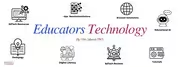
One of my first stops is going to be a recent Facebook page/website discovery I've made: Educators Technology. (He's on all the other socials too--check out his About page.) In addition to the topic being the core of my being, Educators Technology has a wealth of resources, graphics, articles, and more to ponder, investigate, and dive into. It's a blog that was started in 2010 by Canadian educator Med Kharbach, PhD, and now 15 years later is highly acclaimed, referenced, and followed by K-12 educators. His simple yet detailed infographics drew me in from his Facebook page. 

Here are some great resources for my educator friends out there from Educators Technology. (If necessary, click images for clearer versions). Best part--learning happens on our schedule. Maybe at the pool, possibly the beach with sand between our toes, or between naptime and cocktail hour!  Cheers!


Intro image from https://www.secondaryenglishcoffeeshop.com/2017/06/schools-out-for-summer-teacher-challenge.html

Saturday, April 26, 2025

Science Resources for Everyone

temp-Image8-HOun-O

Here in the days following Earth Day, as we are starting the roll to the end of the school year, you may still have science on the mind. What a great way to fill the end of the year timeline with some hands-on online student STEM/STEAM activities.

Here are some great science websites to check out:

  • Smithsonian Science Education Game Center -- Here you'll find 12 STEM online games and 8 online simulations, all with grade level listings (ranging from Kindergarten to grade 8) with learning objectives & written by curriculum experts.
  • PBS Learning Media: Videos, IInteractives, & Lessons Plans -- Free resources to "bring the world to your classroom" on subjects such as science, social studies, math, language arts, engineering & technology, health & PE, preschool, professional development, and world languages, sortable by grade level bands

Image created at Canva.com

Saturday, February 15, 2025

Favorite Finds From FETC 2025

A few posts ago I wrote about my fabulous experience in January at FETC. 

I have been sorting through all of the amazing resources and wanted to share a list of the 25 new favorite websites and online resources--dialing in more than just my favorite sessions, but more into some of the websites I've been diving into since being at home. (I'm sure it won't surprise you the high number of AI-oriented websites. It's everywhere, including built into many teacher/school-oriented websites!)

Items with 🌟 are my personal favorites, and where I'd start if you are just toe-dipping in or looking for just a few tools to try! I most certainly haven't had the opportunity to play with them all, but am looking forward to giving them a go! (Might be a summer project!)

These are the tools I went in knowing about and have had some experience with, so they certainly get honorable mention! I get that they may not be known to everyone, hence why I included this list here!

  • 🌟 Canva EDU & the Magic Media tools that are embedded in--I've written about this many times. Start here to learn more. Polls & Quizzes are new and there's an endless amount of cool tools here.
  • Curipod--Generate lessons & presentations with this classroom tool for teachers
  • Khanmigo--click here to read my whole blog post on that.


🌟 Google Notebook LM

  • Upload your own documents (ex: standards, operating manuals, your own notes) or website addresses and then you can use it similar to ChatGPT to ask questions off this uploaded data set--your own self-created ChatGPT
  • Creates organized note summaries and adds tags for referencing
  • Can generate timelines of dates listed in
  • The program creates a podcast of the research and questions to assist in your own learning, so your notes literally are talking to you.
  • Integrates with Google Tools
  • 18 and up in terms of service so this is more of a teacher tool, but one I'm clearly very excited about!
Google Learn About
  • Still experimental through Google Labs
  • Brings in sources from many and includes exploration links
  • Great for ready to use supplemental teaching resources on different topics
Napkin.AI
  • Helps you create simple images for presentations through a drag-and-drop interface
  • Works as a visual thinking tool for connecting ideas and concepts.
  • The beauty of this tool is its simplicity--both in use and the images it creates.

🌟 Quizzizz

  • Similar to the gamification of Kahoot but with greater capability and instant feedback
  • Make quiz on anything, including pictures or websites
  • Integrates with Google Classroom and other learning management systems.
  • Allows for teacher reports and analytics to track student performance.
  • In the free version, you can create 20 games and then delete and create more--the paid version allows for the creation of more quizzes.

Brisk Teaching

  • An AI-powered lesson planning tool that aligns to curricular standards.
  • Built-in tools for assessment as well as strategies to differentiate lessons.
  • Integrates with Google tools and YouTube.

Gamma AI

  • AI presentation and storytelling tool where you can create slides/visuals based on your prompt.
  • Includes interactive elements like polls and quizzes to add in.

Magic School AI

  • Tools for creating classroom materials like lesson plans, worksheets, activities, and assessments.
  • Allows for differentiation and has built in interventions for students who are struggling.
  • Has an AI chat integrated to assist students and help answer their questions during assignments.

School AI

  • Though the name is similar to the one above, this is more of an AI integration tool for the teachers, their administrative tasks, and tracking student performance. 
  • Shows insights into learning gaps or trends from the collected data.
  • Free for teachers, paid subscriptions for student use

Suno

  • AI music creator tool for generating original songs, narrating lessons, creating voice overs, or adding audible content.
  • Has a text-to-speech generator with customizable voice options, including adding in different languages 
  • The audio files can be exported for use in lesson plans or presentations.

  • This is a social & collaborative writing game/tool--kind of like Kahoot with its gamification, but it makes writing more social and engaging.
  • Students login with class code that the teacher creates.
  • Point out literary elements, grammar, style, and tone in student writing. 
  • Energizes writing when you need a boost
  • An AI tool for differentiation and intervention for struggling learners
  • Teachers can customize learning paths for students by the questions they upload, then set the parameter as to what type of feedback students get. 
  • Depending on settings teachers create, students can go back and correct their answers.

🌟 FigJam
  • With Google Jamboard gone, this is the next iteration of endless real-time collaboration whiteboard canvas for classrooms.
  • It has the online sticky notes that Jamboard had, but also diagrams, templates, and other brainstorming sketch tools.
  • This is great for teaching "machine learning" (the basis of how AI data sets are created), so you could argue it could go in the AI section. However, it does kind of go deeper than that. 
  • It's an AI-based doodling game, making it fun to see if Google can guess your drawing.
  • Gives instant feedback on drawings 
  • Great way to introduce AI concepts & encourage creativity.
  • A good follow up to Quick, Draw! with Google for exploring machine learning.
  • Shows users how to train machine learning models through a user-friendly interface without coding but through images, sounds, or personal poses.
  • Allows for real-time training and testing of their models within the browser.
  • For all you tech/engineering teachers out there--you can take it to the next tech level and add a computer science component by adding arduinos or Raspberry Pi controllers.
🌟 Code.org's Ocean AI
  • Coding lessons combining AI, STEM, ocean preservation, and environmental education! Go green!
  • Tutorials using drag-and-drop coding make it great for beginners to see real world problem solving.
🌟 Padlet 
  • Padlet has been around for awhile as a way to create collaborative visual boards as a way to share ideas, videos, and links in real time.
  • Variety of board formats to choose from: grid, timeline, map.
  • It now has AI components built in that include building Padlets by prompt, "I Can't Draw" AI image generators, and multimedia generators based on text prompts to help build out what you want to create.
  • The paid version gets you more features and the ability to create more boards.

🌟 Helperbird Google Chrome Extension

  • Use this chrome extension accessibility tool to help support anyone with dyslexia, trouble focusing, or other learning challenges. 
  • Adapt fonts for readability on websites. 
  • Has text-to-speech tools, tools for summarizing text, and immersive reading mode
  • There is a paid version, but the free version is incredibly robust for reading and writing support.
🌟 The Achievery

  • Free digital learning platform created by AT&T for K-12 covering these subjects: math, digital literacy, English language arts, social emotional learning, technology and engineering, digital arts, and science.
  • Features clips from popular WarnerMedia films and TV shows, pairing lessons with standard-aligned activities.
  • There are some really great lessons tied to digital literacy, AI ethics, and more.

Elementari

  • Like a "chose your own adventure" for coding with kids to connect creativity with digital storytelling.
  • Templates for creating interactive digital stories along with student-friendly tools for adding illustrations, animations, and narration
  • Library of pre-made stories for inspiration or direct use.
  • Free and paid levels are both available.

Header images from my computer! Logos from each website.

Saturday, February 1, 2025

I ❤️ FETC 2025

January 14th--17th I attended FETC 2025 in Orlando--the Future of Education Technology Conference.

FETC could really stand for "Freaking Excellent Tech Conference!" I'm still swirling about all I learned in those 4 days in my mind. It took the traditionally "feels-twice-as-long month" of January and made it magical for me this year.       (It didn't hurt that we went to Universal and Hogwarts afterwards either. 😊)

Even though it was over 2 weeks ago, I'm still mentally there every day. 

My Biggest Takeaway:

This 4 day conference and the immersion with like-minded people completely renewed my energy for teaching in a way I haven't had since before Covid and the perils of pandemic teaching. (Interestingly enough, I attended FETC in 2017 & 2018, also pre-Covid!) 

So many fresh, new, inspirational, innovative ideas in education. No surprise: half the offerings were on some version of AI. I learned SO much, and it is the gift that keeps giving as I am still learning from that experience. I am loving this energetic spark!  I have so many new websites and tools I want to check out. I've been compiling the wealth of session notes from the ones I attended (and finding slide decks on the digital FETC program of amazing ones that were held when I couldn't attend because I haven't yet figured out how to clone myself). I have a growing master document that I know is going to become like my own personal edtech handbook.

My Favs:

1. Anything with Eric Curts, creator of Ctrl-Alt-Achieve. On his website he includes links to all that he shared at FETC. So. Much. Good. Learning!!!!

2. Christie Thompson-Cloud & Heather Brown's presentation "A Ravenclaw's Guide to the Latest & Greatest in EdTech" was completely engaging. Harry Potter's Ravenclaws love to learn, so what could be more perfect than a Ravenclaw-centric session in Orlando?! They followed thru the theme beautifully and I really need to go back and spend some time with all I learned from them.

3. Themes played out in other ways. 

4. Keynote speaker Guy Kawasaki was a true inspiration. I came home with his book Think Remarkable: 9 Paths to Transform Your Life & Make A Difference. I haven't gotten a chance to read it yet, but it is at the top of my stack. He had 12 tips on "How to Help People Be Remarkable," starting with fostering a growth mindset and providing a growth environment. It truly was a "remarkable" talk and I adored his humor, expertise, and optimism! He has a podcast called "Remarkable People" that I also want to check out now too.

5. Another great keynote speaker was Dr. Sabba Quidwai, who talk was titled "From Classroom to Creator: Learning Today, Leading Tomorrow." Speaking on ways to thinks smarter, not harder, her talk centered on innovation, empathy, and the culture of your organization. It was phenomenal seeing a young female leader showing how innovate as an educator and tech dynamo.

6. Several sessions had tie-ins to the UN Sustainable Development Goals. I still firmly believe that innovation and technology are what we need to solve our environmental issues. I love that this was part of an edtech conference--and wish this was a larger conversation in the world. I imagine this is still something about which not near enough people know.

7. The annual ending is always a session called TECHShare Live with Leslie Fisher, Adam Bellows, and Dr. Adam Phyall III. They are hilarious and have great chemistry with each other. It was a fast action shout out on all sorts of amazing things tech out there. That right there could have been well worth the price of admission!!!

8. I was able to soak up ideas for STEAM, coding, robotics 3D printing, circuits, design thinking, maker ideas, and more to add to my K-5 Tech classes in the variety of sessions I attended. But my favorite part is that even though it's a tech conference, it's an education conference first. I think many people would be apt to think FETC wasn't for them because they as teachers, administrators, PD developers, educational leaders, or more don't "do" edtech. But WE ALL do edtech any more. In today's day and age--in 2025--we all use technology, therefore this conference would be engaging for everyone. 

As for my favorite new edtech tools.... More on that in a later post!!


UN Sustainable Goals image from https://sdgs.un.org/goals, Control-Alt-Achieve logo from https://www.controlaltachieve.com/p/edtech-links-of-week.html, and all other images from my camera from FETC, Jan 14-17, 2025


Sunday, December 8, 2024

Online Advent Calendars For This Season


Advent calendars are fun way to celebrate the season during the month of December. Here are two wonderful ones I ran across for 2024, both accessible by way of the wonderful world of Facebook.

#OneGreenThing Advent Game

Author Heather White (who has written Eco-Anxiety and One Green Thing) has created a digital daily advent calendar where she is posting new small, bite-sized eco-actions you can do every day. Posting daily to her Heather White, Author Facebook Page, you can find her daily inspirations. Given she's a week in already, some ideas include: using little libraries for your next read, going outside for a winter walk and connecting with nature, reducing your plastic footprint and more. Great daily doses of little things to make your day and help the planet!

The 25 Days of CANVAmas for Teachers

Created by Canva Education Creator LaNedra Johnson, this private Facebook group is an amazing collection of Canva creations. LaNedra Johnson has a public FB page, then she created the CANVAmas group for special for this advent season. Some special treats she has in there for teachers are a teacher planner page for 2025, lesson plan template, substitute teacher guid template, and more. Additionally she has another private group entitled "Canva Creators for Teachers" (with 40,000+ members). She's a great resource for teachers on how to maximize Canva creations for your classroom!

Title header created at Canva.com; Screenshot from https://www.facebook.com/heatherwhiteofficial and https://www.facebook.com/groups/1219727522639849

Saturday, November 30, 2024

Brave New Words: Sal Khan's Take on AI

Like I mentioned a few posts back, I'm knee deep in books lately. Here's another one that really got my teacher brain thinking.

Salman Khan, creator of Khan Academy, released "Brave New Words: How AI Will Revolutionize Education (And Why That's a Good Thing)" at the start of this year. I really enjoyed this one as an audiobook given that it was read by author Sal Khan. In a lot of ways, it was like listening to him detail one of his Khan Academy videos.

I've read a number of books and articles on artificial intelligence as well as attended several webinars since the release of ChatGP--exactly 2 years ago on November 30th, 2022. Not to mention, I've used AI quite a bit and written about it a number of times (see here and here). Similarly, I love the "Magic Tools" of Canva. I've also played around a bit with Khanmigo, (which is free to teachers), and which Sal Khan discusses quite a bit in Brave New Words. The Khanmigo for Educators tutorial to learn how to maximize Khanmigo as a digital teacher assistant is excellent.

It's no question that AI is here to stay, and I've heard it said that the AI of today is the slowest you will ever experience. Anyone who has used artificial intelligence in the last 2 years would probably NOT use the word "slow" to describe it.

In Brave New Words, Sal Khan continues the conversation that Richard Culotta had in his book Digital For Good: we can maximize technology in so many ways. Khan discusses the importance of using AI for personal learning that's available 24-7 for people. Through Khanmigo, the AI has been set up to ask questions along the way to build engagement and deepen the learning through the chat--where the chat asks questions as a way to have the user grow on their own knowledge. Yes, AI has limitations in that there are risk biases built into the data sets, and it can create over-reliance on a machine (which lacks emotional intelligence) versus human connection. Then there is the thought that many students have learned how to use it to shortcut their learning and thinking process because they essentially are using it to cheat. 

But Sal Khan's conversations in the book focuses on how to use AI as a tool. It is our role as educators to teach our students to use it in a way that can have real meaning. It can serve valuable purposes in automating repetitive tasks and upping one's productivity. AI can also be used to accelerate certain skills like brainstorming which in turn helps people deepen their own learning. In his book, Khan details several exchanges with AI in Khanmigo where the user can have interactive conversations when the AI assumes a role as a historic figure such as Harriet Tubman or Abraham Lincoln, or literary character Jay Gatsby. The AI is programmed to continually remind the user that it is, in fact, generative AI. Yet it also creates a power of engagement and enhancement for the learner. His book is excellent for leading teachers to think about ways to innovate in the classroom and re-think education and our role in it.

Check out Sal Khan's article "What Khan Academy’s Founder Thinks About AI in Education" in Next Big Ideas Club to learn more about his book. 

Or, see what Bill Gates has to say in his article "Sal Khan is Pioneering Innovation in Education…Again: 'Brave New Words' Paints an Inspiring Picture of AI in the Classroom" in Gates Notes. 

Or watch his 15 minute TED Talk here.


Image from https://www.amazon.com/Brave-New-Words-Revolutionize-Education-ebook/dp/B0CFPJ2FB1/ref=sr_1_1?dib=eyJ2IjoiMSJ9.ZL4f2k-1SGJYHfHGBQCC8Z8ItW_iE0UX2NuoMU62WIp93s378Jxhu27cQz-gee1pFSsJj1FBeGR0EGCL4kTP2T1NSe1AYdmjVVl56QElfLtKzhDA1oBckIkp-Ls2HR8rtAaNtF6RhSo-XpLeoAR_uWigEtWrlFeMbtNcPHfgGyVz2RdNF9WfOR2G_qQ6m1jxmMlN9u26iLxRT0wjwzo2nRAeJzNif3VFXTtlAWYo_mE.3jD5ENMNIk2ZMJMIE9D67H2fz8_z_x4Q4I_G0RnONxA&dib_tag=se&keywords=Salman+Khan&qid=1732370616&sr=8-1 and https://excelined.org/2023/09/20/sal-khan-returns-to-eie23-artificial-intelligence-the-future-of-education/video from https://youtu.be/hJP5GqnTrNo?si=VNecyD_CMwLq2NSF

Saturday, November 23, 2024

"Digital For Good" When It Comes to Digital Decision Making

This year, I've been devouring books. Mostly on my Kindle app on my phone. (I know, it's crazy, my husband makes fun of me.) This year, though, I have also started consuming a lot of audiobooks--especially while I'm driving. Always one to soak up knowledge, I seemed to have replaced my podcast-listening during my car radio time the last 6 months or so with e-books.

Nonfiction books are good ones for me to listen to in the car. (That and mysteries, not sure why.) I think it's my podcast Pavlovian response: I'm in the car, I must be an info-junkie. Regardless, I happened on a really good one recently that ties into school, written by Richard Culotta--the CEO of ASCD* and ISTE.* His book: Digital for Good: Raising Kids Thriving in an Online World.

Digital For Good is indeed a good book, and it makes for excellent reading for all educators in today's world. Parents too. The title is spot on, and matches his theme about how we need to be using digital for good in today's world. I found the book also paralleled many of the concepts I teach at school through The Social Institute (a digital decision making curriculum platform created by Laura Tierney). The focus is on the positives, on making high character choices, and "the do's" versus "the don'ts" of digital citizenship. You can see the parallels in Digital for Good's 5 themes versus the 7 standards of "The Social Institute" in the images below. (Additionally, there's a lot of overlap between both of them with Google's Digital Citizenship Curriculum: "Be Internet Awesome.)


I found it interesting too, listening to many of Richard Culotta's points about digital democracy and the urgency toward building a civil digital world--especially so in the aftermath of the 2024 election. His emphasis on the importance of improving lives is striking: through digital government commitments in order to build a sustainable virtual world that is focused on humanity, democracy, and civility over profits from platforms and the spread of misinformation.

Looking at the publication date, I saw that Digital For Good came out July 21, 2021. This places us a year after the height of the pandemic, yet before former-president Donald Trump's Truth Social posted it's first post on February 16, 2022 and also before Twitter (now X) was acquired in October 2022 by Elon Musk.

It made me wonder "What would Richard Culotta Think About where we are today?" How would he write this book differently, addressing where we are, a mere 3 years later? 

Richard Culotta is still a strident defender of digital democracy for all here in 2024. In his current role as ASCD and ISTE CEO, he still emphasizes the importance of:
  • Teaching self-control and accountability for balanced and healthy tech use;
  • Building skills to identify the difference between true and misleading information;
  • Being inclusive to all by way of respect, empathy, compassion, kindness, and equality in digital spaces;
  • Using tech in a way that builds and enhances family, community, and relational connections;
  • Operating with caution and privacy in mind to stay alert in order to keep ourselves and our information safe.
Just as with voting, it's up to us. We need to use our voice as educators, as parents, as citizens to speak up to create the world we want for ourselves and our children. Using our digital impact for good is a great place to start. So is reading this book!


*ASCD stands for Association for Supervision and Curriculum Development and ISTE for International Society for Technology in Education.


Saturday, September 28, 2024

Election Connection

T-40-some-odd days from now, here in the US, we have an election ahead. As has been the case over the last decade or so, politics, partisanship, & noise go hand in hand. As with anything these days, social media is a little something that has only made the noise, opinions, & emotions stronger (if not worse). 

But, civics and civil discourse and the importance of voting are all elements that should be taught. If you are looking for some ways to have these conversations in class in a non-candidate, non partisan way, here are some resources that may come in handy for you. No doubt, there is something here for everyone.

Pre-Created Units/Collections Online:

Scholastic.com’s Election 2024

Ben's Guide to the U.S. Government
  • This online resource has several topics concerning the U.S. Government, including the elections process. Age bands: 4-8, 9-13, 14_
  • For all ages, the topics vary in depth, but largely include: 
    • Federally Recognized Tribes of US
    • Federal versus State Government
    • Branches of Government
    • How Laws are Made: The Language of the Law
    • Election Process: The History and Process of Voting 
      • General, not specific to candidates/campaigns or political parties
    • Symbols, Songs, & Structure (Buildings & Monuments) of US Government
    • Historical Documents that shaped the US
      • The Declaration of Independence: 1776
      • The Articles of Confederation: 1777 - 1789
      • The U.S. Constitution: 1789
      • The Bill of Rights: 1789 - 91
      • The Emancipation Proclamation: 1863
      • The Gettysburg Address: 1863

iCivics Election Headquarters
  • This link includes a variety of lessons, online thematic games, videos all about the election process
  • Activities Grade leveled: K-5, 6-8, 9-12 – most are grade 6 and up–with exception of videos

PBS Election Central
  • Collection of grade level lessons: 3-5, 6-8, 9-12
  • Broken into following topics:
    • Civics & Democracy
    • Election Basics
    • How Voting Works
    • Voting Rights
    • News & Current Issues
    • Media & Elections
    • Civic Participation

BrainPop (This is a subscription site.)
  • Topics included:
    • Presidential Election
    • Primaries and Caucuses
    • Political Beliefs
    • Democracy
    • Political Parties
    • Women's Suffrage
    • Voting Rights
    • Presidential Powers
    • Branches of Government
    • Voting
    • Political Party Origins
    • Barack Obama
    • Parliamentary System

Individual Websites/Activities:

Electoral College: 

Infographic for 3 Branches of Government from Kid.Gov

We Are Teachers: 26 Books about Elections for Future Voters