Showing posts with label maker movement. Show all posts

Saturday, August 3, 2024

Maker Mindset for Collisionable Inspiration

I was at a class last week upping my game on my 3D printing skills as well as learning some other tech innovations we have available on our Upper School campus with laser cutters and CNC machines. Given I spent most of my career in education in the elementary homeroom classroom, I continually am up-leveling my skills now that I teach K-5 Technology.

In the class, we watched this 2018 TED Talk "A Makerspace for Everyone" by Robin Hooker about the maker mindset. Innovation and embracing the design process in a maker space environment makes the world "collisionable"--where people come together with their ideas, culture, tools, and technology, forming a community. It is here where these ideas "collide" and where sparks come alive and innovation happens.

I've long said, it is innovation and technology that will fuse to form the solutions to today's problems! Makerspaces can be places where this happens!


Video from https://youtu.be/9lSZgCaMS20?si=3NnJQ05BEwYIeCIQ, image from https://spencerauthor.com/classroom-makerspace/maker-mindset-001-2/


Wednesday, August 16, 2023

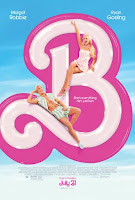
Barbie Movie & Girls In STEM

If you follow any Hollywood news or social media, you may have heard of a little movie called Barbie, which (at this writing) has made over $1.03 billion in the three weeks since it's July 21st released. For anyone who is unsure--that's a solid win and record breaking indeed.

I have not seen the Barbie movie yet (though we finally made it to Oppenheimer--fantastic!) As for the Barbie movie, I definitely have plans to see it at least once with a friend (who loved it), and hopefully too with my family. My 20-something daughter, who's been pretty anti-pink her entire life, even liked it, so that's strong reviews indeed.

As a product of the '8os, I played Barbies a lot. I had a wooden built Barbie house that friends of the family made (which was way cooler than the more plastic, more expensive variety), and I also had the camper and the corvette. [Also, as a product of the '80s, I also have yet to see Indiana Jones...which is a travesty given the first part of the sentence, but that is indeed another story.]

Given being a Barbie fan growing up, and a female and an elementary tech teacher, I was really drawn to Shannon Buckle's recent blog post on her DT with Mrs. B entitled "Girls Can Code - Barbie Says So!" She too is a an edtech teacher, though she is in New Zealand. She highlighted a lot of her adoration with the movie, and also the importance of needing more women in both coding and technology. I like her lens of looking at the movie with this vantage point, and am eager to do so myself when watching.

It also got me wondering about the tech statistics. I landed at Exploding Topics & Jessica Hubbert's April 25, 2023 post entitled "70+ Women In Tech Statistics (2023)." A very good read, but these highlights stood out:

With 47.7% women in the global work force (which is higher in the US at 57.4%--though even that number is lower than the US high of 60% in 1999), only 26.7% of women are in tech-related fields/jobs. Yes, women are under-represented. And no surprise, women in software engineering still report unequal pay. (Although, I was surprised by how close it was at 93 cents for every dollar men make.) 

So how do you get -- and then keep --girls and women in STEM fields? Here are two good reads with a lot of great answers:

In the meantime, looks like I've got two jobs:

1. Go see the Barbie movie.

2. Serve as a positive role model for the gals in my tech classes, encourage their interest, and provide them with a lot of opportunities to innovate and love it!


Images from https://noguiltlife.com/quotes-from-barbie-movie-2023/ and https://www.facebook.com/Finerton/photos/a.2080793535473288/2864858487066785/?type=3


Wednesday, August 2, 2023

The Ever Growing AI

The explosion of both AI (artificial intelligence) tools and AI counterpoints comes daily like a firestorm. 

This summer I did a one day professional development day, led by a colleague, I've read a book for educators, on it, I've read some articles (and stockpiled some resources), I've written about it a few times, and I've experimented with ChatGPT and Canva's Magic Write

Even after using ChatGPT a bit, every time I go in an play around with prompts, I'm shocked at how freaking fast it is able to compile the response. Even with a prompt as meaty as this:
Create a 40 week technology curriculum for fifth grade using the ISTE standard. Classes run once a week. Lessons should be minutes 45 minutes long. Each lesson will begin with a 10 minute warm up using typing exercises in typing.com. Please do not create any stand-alone keyboarding lessons in the 40 lessons. Each curricular item can take place over multiple sessions (no more than 4) and can include coding using Scratch.com, 3D printing activities including Tinkercad, high/low/no tech maker activities and design thinking, the Google Suite of tools, LittleBits, Canva, and digital citizenship. Lessons should be hands-on and engaging for fifth graders. Please include any age-appropriate 1-5 minute videos that could be included in the mini lesson presented to the students before individual or group work time. With videos, include the link or the reference where the video titles can be found. 
What it spit out (in record time) was highly impressive. Will I use it exactly like that? No. Not at all. But it gave me a bountiful brainstorm and a good foundation of ideas from which to start creating my 5th grade Tech/Maker Lab lesson flow. Along with some other pointed questions around Tinkercad or LittleBit activity ideas, it has given me a wealth of ideas to pull from. Ideas that are more pointedly directed than a mere Google search or finds over on Pinterest boards. It saved me a huge amount of time here this summer as I did what we teachers do in the summer!

But, I will say, I'm definitely glad I teach at the elementary level. Ramifications for me as a teacher of younger students are certainly different than it is for middle and upper school kids. 

From my reading and self-education, here are some of the biggest take-aways:
  • Explicitly teach students both the merits/downfalls of using AI and how to use it while looking at the response with a critical eye.
  • Highlight to students that AI programs are designed to collect data
  • Provide students opportunities to practice double check sources, identify misinformation, and see bias that may be built into 
  • Discuss ethics & detail what plagiarism looks like in your classroom.
  • Set clear expectations on how to research and cite your sources.
  • Redesign assignments to be more challenging, handwritten, or performance based assessments.
  • Know that tools to identify cheating have mixed success, can be biased against certain cultures, and can be accessed by students as well.
  • Create activities & formative assessments along the way so that you are able to know the voice of your student.
  • Create questions tied to class discussions (no AI can replicate your classroom conversations, nor were "they there.").
  • Check revision history on shared word document assignments (like Google Docs) that have been shared with you--if multiple paragraphs appear all at once, that could be a "cut and paste" copying situation.
Artificial intelligence & websites such as ChatGPT are tools our students may potentially need to know how to use in future jobs. At the end of the day, AI is a tool--just like calculators, encyclopedias, computers, and the internet are tools. You need to know when to use each one and how to use each one appropriately. It is a powerful productivity tool that can jumpstart thinking and potentially free up intellectual space for greater creativity through the extension. For that reason, it is important for educators to teach students how to think critically, to research and cross-check internet "facts," to consider perspective, and to use empathy. These skills also need to be explicitly taught--and those are skills that you can't pop into a search and simply acquire that way.


Wednesday, June 14, 2023

Father's Day Nature Cards

Father's Day is less than a week away. Are you planned and ready for how to make the father or father-figure in your life feel special?

If not, there's still time to prepare and make a homemade, heartfelt, and nature-themed card. Check out this video created by Mother Natured, then get outside and get your materials (and your puns) and start creating!

(And, there's a companion video for Mother's Day, if you are into planning ahead for next year! 😉)

Video from https://youtu.be/9lM_4A7uLS8 

Saturday, June 13, 2020

Why We Need Environmental Education

It seems forever ago, but this past February I shared some in-house professional development with a group of colleagues at school. The first 5-10 minutes of my presentation (entitled "Infusing Environmental Education Into the Classroom" detailed some statistics and the health benefits of nature, and is here below. The remainder of the hour was spent detailing a multitude of classroom activities.

Given the numbers, percentages, what nature lowers, and what it improves, it's a strong statement of how important it is to get ourselves outside a lot more often. What are you going to do outdoors today?


(Much of the research I included here came from sessions I attended early February at Maryland's Association of Environmental and Outdoor Education's annual conference.)

Link to my presentation: https://docs.google.com/presentation/d/1lcRig9zhnVdyXcCcRiVwzKAl5VeiqnAUsk-ulXuH6RE/edit?usp=sharing

Wednesday, April 29, 2020

Fostering an Environmentally Sustainable Mindset With the Design Squad

PBS's Design Squad has always been a go-to for me, as I've shared before. Their design process cycle graphic is the center of what we use to teach our elementary students when it comes to maker activities or STEAM challenges.

Again I turn to them and their website is certainly worth checking out during this season of remote learning.

There's a wealth of videos at Design Squad YouTube Channel. One of my favorites here is their 3 minute video on Environmental Sustainability. Not only does it promote innovation and invention, but it also promotes having an environmentally sustainable mindset. This mindset takes a growth mindset, layers it with an innovation and design mindset, but it also factors in looking at materials and energy sources with a lens of how best to promote caring about the Earth. Perfect while energized from Earth Day!


Here are some other cool Design Squad resources to check out which inspire an environmentally sustainable mindset:

  • This Week's Wow: Smart Soap (which features the hand soap company Forgo)
  • Design Squad Global for Parents & Educators--here they have a bounty of hands-on activities & videos for schools and after school programs including their Design Squad Global Clubs. These 6-12 week clubs are created for middle schoolers. Some of the gems here include:
    • Activities & Videos on the following subjects:
      • Electricity
      • Force/Energy
      • Green
      • Health/Improving Lives
      • Simple Machines
      • Sound/Music
      • Space/Transportation
      • Sports/Games
      • Structures
      • Technology/Materials
    • Lesson plans on the following:
      • Electricity & Circuits
      • Engineering Design Process
      • Green Design
      • Helping Others
      • Simple Machines
      • Structures
    • Training for teachers & club leaders


Video from https://www.youtube.com/watch?v=ImT4X4oboWM, design process graphic from https://www.facebook.com/DesignSquadPBS/photos/a.75233946927/10156591047261928/?type=3&theater, screen shot from https://pbskids.org/designsquad/

Saturday, October 5, 2019

Creative Uses for Cardboard

As the Technology Specialist who talks a lot about the Design Process at school--both in and out of our Maker Lab, these images from the Bioconstruccion's Facebook page show some amazing and massive cardboard construction projects. Now granted, these are not small projects, but they might serve as creative inspiration for your students!! Check out the pictures below!


What a super way to repurpose--especially with the glut in the recycling industry where cardboard sometimes does get recycled in some communities. Add in, in today's age of a lot of Amazon.com and other delivery boxes that come right to your door, cardboard as a building material is pretty easy to come by! 

For more inspiration, watch this and check out the following links of ideas & watch this video:


photos from https://www.facebook.com/pg/ColorworldEntertainment/photos/?tab=album&album_id=1185946768234631&__xts__%5B0%5D=68.ARBObzaU5MOGmc0ed8iqkyx2JJG0kugIcdSDx4bfiBpsEJQ29HwaKmHBercjCz6S0-g3qqXWrhTwKsJ6fHQVaYK67qX_11hI8uT1Uh-PpEBO9GSN08iRxsi7N63MllmeUgkTCWc2kxhVrFm9BbsHpJqfGnBvY2R7EVjFARljL1ZWRs-2OixtIwBiomTAx-WbJAvcMdl4UIZISbyvumeJpW9T1QrKjF_gl0Wp9ZrFlQ6NMPnsax96mn_vDbFsW3cPB370r4LAPNZLnWbdrTvKwYJDpTH_6sW0lxcIfuwRSwcjK59sXbDLpdqxvHKeaW51qj1mr5s1T59u7LXTeIJgu2HN7uLo&__tn__=-UC-R; video from https://www.youtube.com/watch?v=4RGfnBlaHIQ

Saturday, July 6, 2019

Upcycled Dog Toys

We have a rowdy and rambunctious dog that lives with us. He's mouthy--both when it comes to noise (obnoxious barking) and chewing. At times he can be sweet--but that's usually when he's sleeping, or tired. We have a backyard pool that he loves (he is a Portuguese Water Dog) and is a major fan of chasing the tennis ball or some other toy. Those are about the 2 only ways we can wear him out.

I was at Target the other day and got him a little nylon floating Frisbee, thinking that this could make for extended fun, combining his love of fetch with his love of the pool.

That Frisbee seriously lasted less than 3 days. There may be a smidge of life left in it, but not much. Now I have another something that's going to wind up in a landfill.

Clearly, I ran across this resource from 1MillionWomen.com about 3 days late: do it yourself dogger toys. The material of choice: old T-shirts. It makes perfect sense. Who doesn't have an extra, old T-shirt (or 20) laying around? [It reminded me of the braided jump rope I made years ago out of "plarn" (aka: plastic yarn made out of plastic grocery bags).]

What I really liked about the 1Million Women article was their emphasis on how clothing waste "wears" on our environment (pun intended). Especially in the era where everyone is "Marie Kondo-ing" and clearing out all the clothing that is not "sparking joy" in their closets after decades of trying to stay with the fashion trends, fashion waste is a huge thing. Additionally, the water that's sucked into the creation of  cotton clothing makes huge demands on our water supply--especially when some areas are experiencing droughts while other areas struggle with clean drinking water. Makes you wonder if that water is being well-purposed. Upcycling also has a greater value than even donating those old clothes to charities. By repurposing your T-shirts or other clothing, not only have you given your pup a little bit of entertainment, you're saving yourself some money and keeping things from getting dumped.

To make your own dog toys, check out these two sites for directions--your fur-buddy will thank you for it:

All the pictures from my own trusty camera.

Wednesday, February 6, 2019

Virtual Valentine

I love The 10 Minute Teacher Podcast with Vicki Davis (aka CoolCat Teacher). 10 minutes is the perfect nugget of knowledge for busy teachers, and I always learn something new.

It's here I learned about Virtual Valentines--just in time for that sweet holiday ahead!

This is a passion project created by Dyane Smokorowski, Michael Soskil, Micah Brown, and Stacey Ryan. Their goal--to connect students around the world, inviting them to a take part in a creative design challenge while learning a little bit along the way, making a global connection.  Authentic audience anyone?! I love the tagline: Melting the Miles Between Classrooms!

There are a slew of creative ideas for your valentines here on this portion of their website.

There are 2 levels of involvement options:

* Level 1: Students create a virtual valentine to share with others who have participated around the world to see work from all over the globe.

* Level 2: Get a partner classroom, research the community your partner class is from AND determine the mileage away they are. Then "virtually meet" via Skype.

But move fast! The registration window is closing--this week! The deadline to register is THIS FRIDAY, FEB. 8th! Click here to register!


Wednesday, January 30, 2019

Erik Jensen Art: Computer Keyboard Artist

Art is a great place to repurpose materials.

Erik Jensen, who's medium is computer keys popped of a keyboard has shown just that! Keyboards often are a commodity that lands in landfills. So Erik salvages the keyboard keys, dyes them, then lays and glues them into designs that become art!

Reminds me of Lego Artist Nathan Sawaya and the maker movement!!

You definitely need to check out his website to see the breadth of his work. A mosaic in keyboard keys (some of which you might recognize.) Cheers to Erik & his upcycled art!

Monday, December 31, 2018

Happy New Year 2019

As the New Year is upon you, may these quotes help to shape your year!

“Innovation is taking two things that already exist 
and putting them together in a new way.” 
–Tom Freston

“What good is an idea if it remains an idea? 
Try. Experiment. Iterate. Fail. Try again. Change the world.” 
– Simon Sinek

“There’s a way to do it better—find it.” 
–Thomas Edison

“Vision is the art of seeing the invisible.” 
–Jonathan Swift

“It always seems impossible until it is done.” 
–Nelson Mandela

“This world is but a canvas to our imagination.” 
–Henry David Thoreau

“The world is a book and those who do not travel
read only one page.” 
– St. Augustine

“When the winds of change blow, 
some people build walls and others build windmills.” 
–Chinese Proverb

“If you’re not failing every now and again, 
it’s a sign you’re not doing anything very innovative.” 
–Woody Allen

Saturday, December 22, 2018

The Art of Stone Balancing

This is just downright beautiful... and watching it makes me want to go out and try this in the spring when the weather (and water) turns warmer.

But just watching him build gives me a sense of calm. True Zen. Maybe I'll be sure to revisit this video every time it feels a tad stressful the last few days of holiday prep!


Video from https://www.facebook.com/Golem13.fr/videos/2284456868254889/

Saturday, December 8, 2018

Lego STEM Advent Calendar


Advent Calendars are great at holding the mystery of the Christmas season--all behind little doors. For years, we would get the chocolate filled ones. One year, we found a Lego one where you got a little build kit behind each door. That was neat, but it was a bit pricy. I saw a great Harry Potter one this season (as I'm a 27 year teacher who only first encountered the books and the movies here in 2018, I'm a new HP fanatic)...but talk about pricy! So several years ago, I got my own wooden advent calendar at the art store that I painted and decorated myself.

But, I ran across this idea, which I think speaks volumes to our builders and future engineers of America.  This is a build your own Lego advent calendar, with doors on hinges and drawers that pull out--perfect to hide the yummies behind. 

Frugal Fun for Boys & Girls's website created an instruction list last year of how to go about creating your own. Best part about this, it's not year-specific, and the making it is just as much fun (if not more) than the daily discoveries all December long! Additionally, they encourage you to tweak it to make it your own!  

Another great thing about this post--at the bottom, it gives you some gift ideas for the Lego Lover in your house, as well as 4 additional Holiday projects you can dive into! It's a great way to reuse and repurpose some of those Legos in your house.

Go build yourself and your kids (or class) some holiday fun!


Wednesday, December 5, 2018

Coding, Coding, & More Coding This Hour of Code Week

This fall I attended two coding workshops, both run by our Independent School Association.  One
was on Coding & Literacy and the other was entitled "Infusing Making and Coding in the Elementary Classroom."

Both of them did what a good workshop should do: they got my mental gears spinning and inspired me to take some of the new ideas and put them into practice into my classroom. It also inspired me to do a little shopping, and I purchased the 2 follow up books to Hello Ruby (and write my November 10th post!)

Here are 2 of my coding inspirations. Perhaps they'll serve to inspire you this Hour of Code & Computer Science Education Week (December 3-9th, 2018):

1. For my 3rd Graders and their Colonial Times Unit, I had them use ScratchJr to create a 4 slide animation showing a variety of movement for the early colonists.  Here are a few sample screenshots that I used to show the class. (I purposely didn't add any coding for my last slide so as not to give everything away for my students!)


2.  For my 1st Graders, I used Seesaw Learning Journal's Activity feature to create a 2 part Thanksgiving coding activity. First, they illustrated the following poem via Seesaw with emojis and drawings, then they accessed the map activity to label the code. I have become a huge fan of Seesaw's Activity Library this year, both in searching new ideas, and creating my own to share out with the Seesaw community. If you use Seesaw, definitely be sure to check out the Activity Library--there's a wealth of activities there on any subject you'd want!


Wrapping up... a visit with Linda Liukas, creator of Hello Ruby, is a great place to land during Hour of Code & Computer Science Education Week. Here is her TEDtalk on coding as a language may her energy and enthusiasm inspire you this week!


Scratch Jr & Seesaw screenshots from my iPad, Linda Liukas video from https://www.ted.com/talks/linda_liukas_a_delightful_way_to_teach_kids_about_computers, Computer Science Education Week image from https://twitter.com/CSEdWeek

Saturday, November 10, 2018

Hello Ruby

A good picture book takes you places.

With Hello Ruby, that "place" is within the computer, coding and exploring:
"Meet Ruby―a small girl with a huge imagination, and the determination to solve any puzzle. As Ruby stomps around her world making new friends, including the Wise Snow Leopard, the Friendly Foxes, and the Messy Robots, kids will be introduced to the fundamentals of computational thinking, like how to break big problems into small ones, create step-by-step plans, look for patterns and think outside the box through storytelling. Then, these basic concepts at the core of coding and programming will be reinforced through fun playful exercises and activities that encourage exploration and creativity. In Ruby's world anything is possible if you put your mind to it."
Ruby is a whimsical character that invites readers into coding and computational thinking. She is the main character in the 3 book series "Hello Ruby."
Linda Liukas, Finish author and creator of the Hello Ruby series, programmer, founder of Rails Girls, and CodeAcademy alumni,

Hello Ruby links to inspire educators:

Linda Luikas' website

Linda Luikas TEDResidency Talk: Crawling into Coding

Linda Luikas' TED Talk: The Poetry of Programming


Video from https://vimeo.com/292078023, images from Amazon.com!

Saturday, October 27, 2018

Project Learning Tree: Halloween STEM Challenges

With Halloween just around the corner, perhaps Project Learning Tree is the place to go to get some class-time, kid-time, party-time, or creativity-time inspiration.  Their moniker: "Make Learning Fun." Isn't that really how it should be? If it's motivating and engaging, it draws kids in, and it is indeed fun.

Well, one way to do that is to offer some Halloween STEM Challenges. The titles alone are inviting (listed by category):
    1. Spider Webs
    2. Paper Bats
    3. "Bone" Bridge
    4. Articulated Hand
    1. Pumpkin Investigations
    2. 5 Little Pumpkins
    3. Candy Pumpkin Catapults
    4. Pumpkin Elevators
    5. Germinating Pumpkins
    1. Candy Corn Chemistry
    2. Frankenworms
    3. Monster Science Experiment
    1. Ghost Rockets
    2. Floating Ghosts
    3. Mummifying Apples


Image from https://www.plt.org/educator-tips/stem-challenges-halloween

Wednesday, August 29, 2018

The Dynamic Duo of Tech Museums: The Tech Museum of Innovation & The Computer History Museum

I've talked about Dynamic Duo's before, both here and here.

I think I may have landed the "edtech-ie-est" duo of them all.  The Tech Museum of Innovation (in San Jose) and the Computer History Museum (in Mountain View, CA). Located a mere 13 miles from each other, in the heart of Silicon Valley, they work together nicely to give you a view of our techie past and take you well into our techie present and future.

As you can imagine, my trek to San Francisco & Silicon Valley certainly included the two of these museums... and a crazy number of photos taken at both. If you ever have the chance to visit in person, you should.

The Computer History Museum (CHM)

Exhibits while I was there:
  • Revolution: The First 2000 Years of Computing: From the abacus to mainframes to where we are today! This is where I spent the most time. It was amazing and awe-inspiring to be surrounded by the number of artifacts (approximately 1,100...including the 1978 Merlin, which I loved as a kid!)
  • Make Software: Change the World
  • Thinking Big: Ada Lovelace: Dating back to the mid 1800s, Ada was a mathematician and a woman ahead of her time. 
  • Where To? Another favored area, where you got the opportunity to sit in a self-driving car. While in the Silicon Valley area, we actually saw two of these on the streets!!
  • IBM 1401 Demo LabThis room-sized computer takes you literally back in time to 1959
  • PDP-1 Demo LabAnother flashback to 1959 and the "one-ton minicomputer." These two rooms really show you how far we have come (as I took a picture of them on my smartphone hand-held computer!)
Resources for You To Explore:
The Tech Museum of Innovation

The Tech Tag: Coming home with "digital mementos" of our experience there was pretty darn cool.

The Exhibits while I was there
  • BioDesign Studio
  • Body Metrics
  • Body Worlds Decoded: This was incredible with the plastinated bodies and slices of true parts. They also provided you with a tablet so you could see artificial reality images popping up on hot spots right there in the museum to truly make the learning come to life! I also liked the huge, table-sized touch screen computer where you could see right inside the human body!
  • Cyber Detectives: Perfect for anyone who likes code breaking!
  • Exploration Gallery: The Shake Platform simulated what a California Earthquake feels like. Feeling that magnitude of 6.7 was stronger than this Maryland and Midwest girl has ever felt!!
  • Innovations in Health Care: Another one of my favorite exhibit. This is always where I feel innovation is going to be the key to solving so many of our global issues.
  • Reboot Reality: "A Digital Experience Lab" where you can experience "immersive media." We loved the Animaker, where you used Legos to create animals, then it virtually created that animal from scanning your Legos, then popped it up on the animated big screen!
  • Social Robots
  • The Tech for Global Good
  • The Tech Studio (A Maker Space on steroids, with just about any material you could think of to build with!)
  • Unfortunately, the IMAX was down until November 2018 for renovations.
Resources for You To Explore:

Luckily though for the rest of us, there are so many online resources, you can soak it up from... you computer, of course!


Images from my camera! Compilations made using the LiPix app.  Logos from each museum's website!

Saturday, May 5, 2018

My 6 Fav Maker Activities

As a Technology Specialist and Maker Lab Teacher, we get to have a lot of fun in my K-5 classrooms.  Check out this clickable infographic (hover above the fingers to see the linked hot spots) and the blurbs below to see what some of my personal favorites are through the years! The links on the infographic will take you directly to websites of instructions, images, lesson plans, or examples.


Squishy Circuits
Following up our Valentine's Day Circuit Card Creations, we had loads of fun with some conductive and insulating dough. In addition to the clickable link above, this video and these instructions were helpful. We did the activity with 2nd and 3rd graders, but any elementary students would love it!

Trying to Reason With Hurricane Season
My 4th & 5th Grade elective class had fun with this hurricane-inspired STEAM activity--timely this fall when the hurricane reports cropped up. The "Emoji Guys" and ramping up the box fan to create different categories of major win added to the elements of excitement.

Lego Landmarks
For several years now I've tied the work to Lego sculpturist Nathan Sawaya into a Maker activity with my Kindergartners. I show them a plethora of natural landmarks and iconic structures. From there, they pick one to build using Legos and take several pictures along the way using iPads to detail their design process. From there, we revisit the activity another day where they each insert their pictures in order in the Timeline app on their individual iPad so each student can show off his/her design process chronologically. This activity, of course, could work for kids at any age.

Artbot
Throughout the years, I've done a variety of artbot activities, but for my Kindergarteners this year, it was "Dollar Store electric toothbrushes and pool noodles for the win!" This simple and straightforward example was perfect for the age group and brought about delighted glee from all!

Henry "Box" Brown
Henry "Box" Brown was an enslaved man during the Civil War era who crated himself up and mailed himself to Northern freedom with the help of some abolitionists. As a natural extension within the 5th Grade Civil War Unit, after reading the picture book Henry's Freedom Box by Ellen Levine, students got into a large cardboard box to see what that would feel like. Then, using some measurement and ratios (based on both 3 inch Playmobil guys and the 6 foot height of an average adult man), kids were challenged to build a box their guy would fit in using craft sticks, tape, and heavy construction paper.

Zip Line Carrier
Everyone loves the concept of a zip line, especially when you are the one building it. Putting my Playmobil guys to use again (rather than building a Lego Creature), this STEAM activity ties really well with our 2nd graders' Business unit and their study of money. My favorite part of this too is the fact that students have to manage their budget by buying only the supplies they can afford.

For more great hands-on STEM/STEAM activities, be sure to check out the following:


Clicakable Infographic created using Canva.com & Thinglink.com.

Wednesday, January 31, 2018

Reflecting on FETC 2018

There truly is nothing more magical than Christmas in January.

In Florida.

At a 3-day edtech conference, appealing to my ever-loving joy-of-learning self.

With one of my favorite people in the world, a former teaching colleague... reliving our time at last year's FETC (Future of Education Technology Conference), and making new memories this year!

With 70° weather, when what you have left behind is 40°, maybe 50° weather.


45,000 steps on my Fitbit... 10 sessions (amounting to over a dozen hours of insight and education) ... multiple dozen of booths and poster presentations visited... and what feels like that many photos, notes, and links to check out. January really is the perfect time for this conference (for more reasons than just the weather). There's plenty of time for implementation here in the next 4 months of school before summer.

With Christmas in January, rather than holiday lights, the twinkling comes in the form of LED lights, iPad and laptop screens, and the idea-flashes that come with the inspiration of speakers of the 36th annual FETC conference last week. 

My favorite parts:

1. The 20 minute free chrome extensions presented by Dr. Lynn Herr. My reading specialists will be giddy and I can't wait to get them on our Chromebooks!

2. Getting inspiration from my girlfriend as we talked about her MakerLab and learning about all the things she found fascinating in her workshops.

Sir Ken Robinson
3. Hearing education guru Sir Ken Robinson and tech goddess Kathy Schrock share their own unique wit and wisdom.

4. Getting my book Tasks Before Apps: Designing Rigorous Learning in a Tech-Rich Classrooms autographed by Monica Burns, realizing that we'd met about a decade ago as my partner in green and I visited her then-school (Alain L. Locke in NYC). With that partnership, later she and a team of their teachers came to visit us at our school to discuss our environmental initiatives. At the book signing, Monica and I discussed how both of our experiences at Alain L Locke ultimately and serendipitous led us both down our current paths.

5. Being able to walk away with at least 30 new-to-me websites and apps, ready to come home and more deeply explore each one... and eager to bring those back to my school to inspire both students and teachers alike!

6. Learning about the varied and amazing top 25 AALS websites (& resources there) from Shannon Miller... who's session last year at FETC 2017 turned me on to both Buncee and Padlet.


7. Speaking of Buncee...Hanging out with the Buncee crew, getting to meet other Buncee Ambasadors "live and in person," both at the conference and after hours.

It all reminded me how vital it is to step out of your daily routine, take a break, explore new things in your field (expanding the field of vision of those things you love), and to never stop learning or connecting.


My walk-away websites & apps to investigate, & you might want to check out too.

  1. Post-It Plus
  2. Chatterpix
  3. KidLit.TV
  4. Explore.org
  5. Book Creator
  6. Little Bird Tales
  7. Flipgrid
  8. Booktrack
  9. Google Draw
  10. Google Keep
  11. Google My Map
  12. Classhook
  13. My Simpleshow
  14. Elink.io
  15. Spreaker
  16. Write the World
  17. Sugarcane
  18. Baamboozle
  19. Vizia 
  20. Cite This For Me
  21. Formative
  22. Rewordify
  23. OER Commons
  24. Wizer.me
  25. Nearpod
  26. Adobe Spark 
  27. Listenwise
  28. CommonLit
  29. Media Smarts
  30. American Association of School Librarians Website: Tools & Resources
  31. Make Belief Comix
  32. Sutori
  33. Hyperdocs
Of course, as I look at them in number list here, my work is cut out for me! 

Maybe I'll take it a day at a time. Leading me forward, look at where I'll be a month from now! 

That's the beauty of being out in the learning world of FETC... you come away so completely rich! Yes, richer for the experience, indeed!


Pics from my camera and my experience down at FETC 2018.